
What a game link looks like
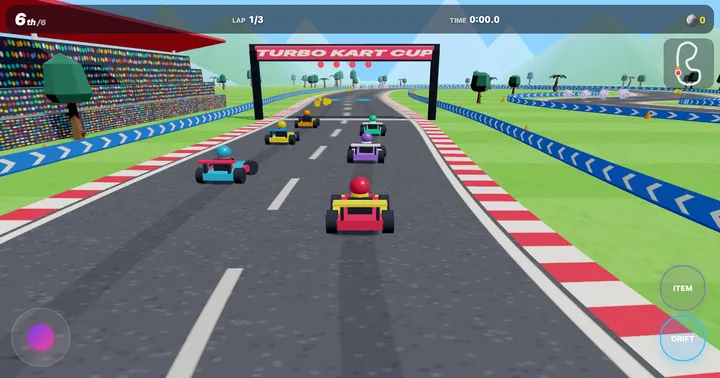
Links are short and live on games.riffgame.com. This is a real one, for the starter game Turbo Kart Cup:
 games.riffgame.com/OE927j/
Tap it and the game starts in your browser. That's exactly what your friends see.
How to make a game and share it
- Describe the game on the Create tab of the Riffgame app, check the plan and tap Build it.
- Play it when it's ready, and change it by chatting until you like it.
- Tap Share. Copy the link, or send it in WhatsApp, X, Messages or any other app.
New to Riffgame? The step-by-step guide shows every screen.
What your friends need
- Only the link. No app, no download, no account.
- A modern browser on a phone, tablet or computer.
- On a phone they play with an on-screen joystick and buttons; on a computer the keyboard works too.
If they like it, they can get the app and make their own.
Who can see your game
| Account | What happens to a new game |
|---|---|
| 18 or older | Public on Riffgame by default after an automatic check: in Explore and search, on your profile and on riffgame.com/games. People can play it, like it and follow you. |
| Pro | You can also keep a game private, or share it by link only so only people with the link can play. |
| 13 to 17 | Games stay private. If a teen shares one, it's by link only (free), it never appears in Explore, and others can't remix it. |
There is no chat between users. More on ages and privacy is on the safety page.
Remixes and credit
A remix is someone's own copy of a game that they change by chatting. Anyone can remix Riffgame's starter games for 20 riffs. Players with Pro can also remix public community games, unless the creator turns Allow remixes off.
- The original creator stays credited on the remix.
- Your prompt stays private. A remix copies the game, never what you typed.
- Remixes and likes show on your game, so a good link can travel.
Good to know
- Games are 3D and single-player. Friends can't play together in one game; they each play from the same link.
- No leaderboards or cloud saves inside games.
- Making games happens in the app; playing works anywhere.
Quick answers
- Do my friends need the Riffgame app?
- No. They tap the link and the game plays in their browser, with no download and no account.
- Does the link work on a computer?
- Yes. Games play in any modern browser on a phone, tablet or computer. On a computer, keyboard controls work too.
- Who can see my game?
- If you're 18 or older, a new game is public on Riffgame by default after an automatic check. With Pro you can keep it private or share it by link only. Teens' games stay private and are shared by link only.
- Can people see the prompt I wrote?
- No. Your prompt is never shown to other players, and a remix of your game never copies it.
- Can someone remix my game?
- Players with Pro can remix public games unless you turn Allow remixes off. You stay credited as the original creator. Teens' games can't be remixed by others.
Make a game your friends can play